

High Fidelity Portable Audio Guide (2026)
Table of Contents
- DAP vs. Smartphone: Which Actually Sounds Better?
- Hi-Res Audio File Formats Explained
- Key Features to Look for in a Portable Audio Player
- Best Digital Audio Players 2026: A Buyer's Overview
- How to Choose a Portable DAC for Your Headphones
- Synergy Matching: Pairing Your DAP, DAC, and IEMs
- Software, UI, and Streaming Integration
- Building Your Portable Listening Setup on Any Budget
- Long-Term Maintenance and Repairability
- Common Mistakes to Avoid When Going Hi-Fi Portable
- Frequently Asked Questions
What Is High Fidelity Portable Audio?
High fidelity portable audio reproduces recorded sound with exceptional accuracy outside a fixed listening environment. The core principle is hearing recordings as their creators intended, without distortion or compression artifacts. At Electro Gift Shop, we've helped music lovers navigate this space by focusing on what actually matters: the entire signal chain from source file through DAC, amplification, and transducers.

A high fidelity portable audio guide starts with understanding what separates genuine hi-fi from ordinary listening. The difference isn't just expensive hardware, it's the quality of your source file, digital-to-analogue conversion, amplification, and transducers. Weaken any one link and the whole chain suffers.
This guide covers file formats and DAC selection through synergy matching and maintenance. Whether you're building your first portable setup or upgrading from a smartphone-driven rig, the sections below provide a practical framework for making decisions that improve your listening experience.
Two angles most guides skip: software usability and component synergy. Hardware specs reveal what a device can do in a lab. These factors determine what it actually does for you in daily use.
DAP vs. Smartphone: Which Actually Sounds Better?
Dedicated digital audio players outperform smartphones for critical listening in most real-world scenarios. This is a consequence of design philosophy and engineering trade-offs. But the honest answer is nuanced: the gap depends on which headphones you use, your listening environment, and which specific devices you're comparing.
Why Dedicated Hardware Wins on Signal-to-Noise Ratio
A smartphone is a cellular radio, camera, GPS receiver, and computing platform that also plays audio. Every subsystem generates electrical noise, RF interference from the cellular modem, switching noise from power management, and ground loops between audio circuitry and the display backlight all contribute to a measurable noise floor.
A dedicated digital audio player exists for one purpose. Its internal layout, shielding, and power regulation are optimised around audio performance. The DAC chip gets a dedicated, filtered power rail. The headphone amplifier is physically separated from noise sources. The result is a measurably quieter background and more accurate signal reaching your ears.
A typical flagship smartphone measures between 100dB and 115dB signal-to-noise ratio from its headphone output. A mid-range dedicated DAP commonly measures 115dB to 125dB SNR. Each 10dB improvement represents a tenfold reduction in background noise. In quiet listening environments with resolving headphones, this difference is audible as a blacker background and greater detail in low-level passages.
The Output Power Gap: Where It Actually Matters
Smartphone headphone outputs typically deliver 10mW to 30mW into a 32-ohm load. USB-C dongles reach 50mW to 80mW. A budget DAP commonly delivers 100mW to 200mW into 32 ohms. A mid-range DAP with balanced output can deliver 300mW to 600mW or more.
For low-impedance, high-sensitivity IEMs rated at 16 to 32 ohms with sensitivity above 100dB/mW, a smartphone or quality dongle delivers sufficient power. The limiting factor becomes noise floor rather than power.
For high-impedance headphones, the calculation changes fundamentally. A 300-ohm headphone requires significantly more voltage to reach the same sound pressure level as a 32-ohm IEM. To deliver the same wattage into a 300-ohm load as into a 32-ohm load, the amplifier needs roughly three times the output voltage. Most smartphone outputs cannot sustain that voltage without clipping. A dedicated DAP handles 150-ohm to 600-ohm headphones without running out of headroom.
If your headphones are rated above 80 ohms or sensitivity below 95dB/mW, a dedicated DAP will produce a meaningfully audible improvement over a smartphone output.
Output Impedance: The Specification Smartphones Rarely Publish
Output impedance is the specification that receives the least attention and causes the most real-world problems with multi-driver IEMs.
The standard guideline is that source output impedance should be no more than one-eighth of the headphone's rated impedance. For a 16-ohm IEM, that means 2 ohms or lower. For a 32-ohm IEM, 4 ohms or lower.
Many smartphones have output impedances between 1 ohm and 5 ohms, acceptable for most single-driver dynamic IEMs. The problem arises with multi-driver balanced armature IEMs, which have impedance curves that vary significantly across the frequency range. A source with high output impedance interacts with that varying impedance to produce frequency response changes, altering the sound signature the IEM manufacturer designed for.
Dedicated DAPs from reputable manufacturers typically publish output impedance specifications below 1 ohm for their single-ended outputs.
The Dongle Tier: A Practical Middle Ground
USB-C DAC dongles occupy a genuinely useful position between smartphone audio and a dedicated DAP.
A quality USB-C dongle bypasses the smartphone's internal DAC entirely. It receives digital audio data over USB, performs its own conversion using its own DAC chip, and returns an analogue signal to your headphones. The smartphone's internal audio circuitry is completely removed from the signal path.
Dongles occupy a rough hierarchy:
Entry-level dongles use single-chip solutions delivering adequate performance for efficient IEMs. Output power is typically under 30mW into 32 ohms.
Mid-tier dongles use higher-grade DAC chips with better power filtering. Output power reaches 50mW to 100mW into 32 ohms, handling most IEMs and some lower-impedance over-ear headphones.
High-performance dongles use flagship DAC chips, offer balanced 4.4mm output alongside single-ended 3.5mm, and deliver output power approaching 200mW into 32 ohms. At this level, they compete directly with budget DAPs on measured performance. The trade-off is faster battery drain and potential thermal issues.
The dongle's fundamental limitation is power sourcing. Because it draws power from USB, available current is constrained by the USB specification. This ceiling limits amplifier power, which is why demanding over-ear headphones above 80 ohms still benefit from a standalone DAP.
When Your Smartphone Is Genuinely Good Enough
For a significant portion of listening scenarios, a flagship smartphone with a quality USB-C dongle reaches a level where further investment produces diminishing returns.
If you listen through efficient IEMs rated at 16 to 32 ohms with sensitivity above 100dB/mW, in moderate ambient noise, the practical difference between a quality dongle and a mid-range DAP is small.
The case for a dedicated DAP strengthens under these conditions:
- You listen in quiet environments where background noise becomes audible
- You use demanding over-ear headphones above 80 ohms or planar magnetic headphones
- You work with a local library of high-resolution files and want reliable bit-perfect playback
- You want a device dedicated to audio that doesn't compete with phone calls and notifications for resources
- You listen for extended sessions where battery drain on your phone becomes problematic
Audio Science Review measurements database comparing smartphone and DAP output specifications
Hi-Res Audio File Formats Explained
Understanding hi-res audio file formats is essential for any serious portable audio guide. The format determines how much musical information reaches your DAC.
FLAC, DSD, and MQA: What Each Format Actually Does
FLAC is a lossless compressed format preserving every bit of the original recording while reducing file size by roughly 50-60% compared to uncompressed PCM. Most DAPs support FLAC natively. Files typically come in resolutions up to 32-bit/768kHz, though 24-bit/96kHz is the most common hi-res distribution format.
DSD uses single-bit samples at extremely high sampling rates, typically 2.8MHz or 5.6MHz. Many audiophiles describe DSD playback as having particular smoothness and naturalness. The trade-off is that DSD files are large, editing is difficult, and not every DAC handles native DSD playback.
MQA is a proprietary format delivering high-resolution audio in smaller file sizes. As of 2026, its commercial future is uncertain following corporate restructuring. Many streaming platforms have moved toward standard lossless formats instead.
For most listeners building a portable setup today, FLAC at 24-bit/96kHz is the practical sweet spot: genuine high-resolution audio, broad hardware support, and manageable file sizes.
Bit Depth and Sampling Rate: The Numbers That Matter
Bit depth determines dynamic range. 16-bit audio delivers approximately 96dB of dynamic range; 24-bit delivers approximately 144dB. 24-bit recordings capture quieter passages with greater accuracy and produce less quantisation noise.
Sampling rate determines the highest frequency a digital recording can represent. A 44.1kHz file captures frequencies up to 22.05kHz, covering the full range of human hearing. Higher sampling rates like 96kHz or 192kHz extend well beyond audible frequencies, reducing ultrasonic noise that can fold back into the audible range during playback.
Prioritise bit depth over sampling rate. A 24-bit/44.1kHz file is meaningfully better than a 16-bit/44.1kHz file. The jump from 96kHz to 192kHz is far more marginal.
Archimago's Musings on high-resolution audio measurements and audibility
Key Features to Look for in a Portable Audio Player
The best digital audio players share core specifications that separate them from consumer-grade devices. Knowing what to look for prevents the most common purchasing mistakes.
DAC Chip Quality and Balanced Output
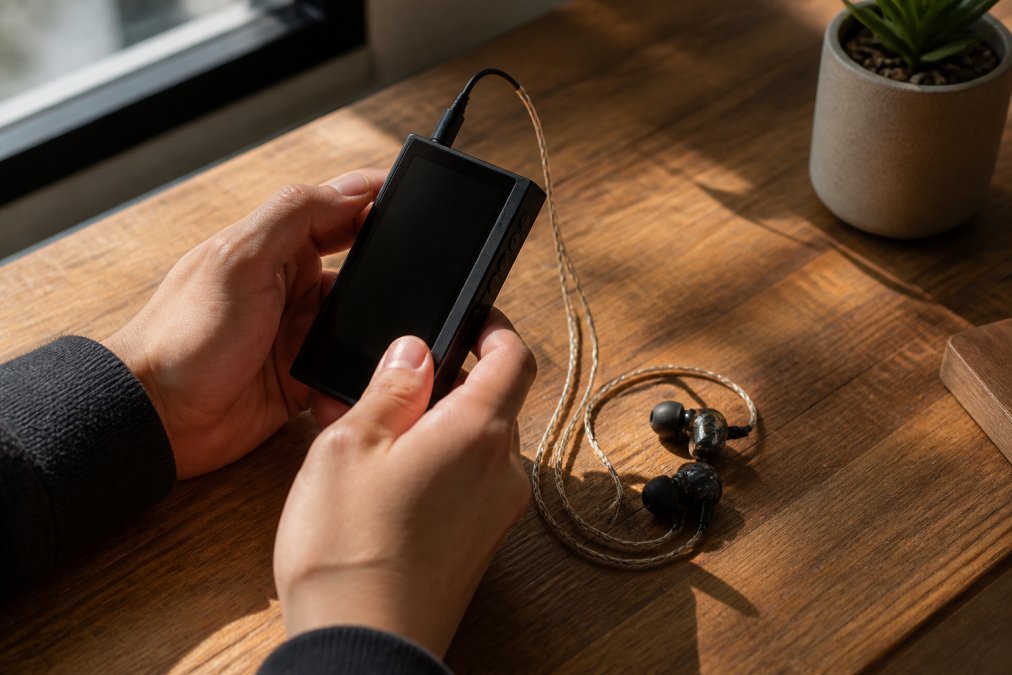
The DAC chip converts the digital bitstream into an analogue signal. Its quality directly determines the noise floor, total harmonic distortion, and frequency response accuracy. Common chip families from ESS Sabre and AKM Velvet Sound appear across mid-range and premium tiers.
Balanced output uses two signal paths per channel, inverting one and recombining them at the amplifier. This cancels out common-mode noise picked up along the cable, lowers the noise floor, and effectively doubles the output voltage compared to single-ended output. For sensitive IEMs, the noise reduction matters more than extra power. For demanding over-ear headphones, the additional voltage headroom is the primary benefit.
Most serious DAPs include both a 3.5mm single-ended output and a 4.4mm Pentaconn balanced output. Using the balanced output is one of the most cost-effective improvements available.
Storage, MicroSD Expansion, and Internal Capacity
Internal storage in current DAPs ranges from 16GB at the budget end to 256GB and above in premium devices. A 24-bit/96kHz FLAC file averages around 150-200MB, so even 64GB fills up quickly with a serious library.
MicroSD expansion is therefore critical. Many DAPs support cards up to 1TB or 2TB. Some budget devices support only one microSD slot; mid-range and premium players often support two. A common mistake is buying a DAP with generous internal storage but no microSD slot, then discovering that adding music means deleting music.
Battery Life and Power Management
Battery life varies enormously. Budget DAPs typically offer 8-12 hours; mid-range devices often reach 10-15 hours; premium players sometimes exceed 20 hours. These figures are measured under specific conditions, usually with single-ended output at moderate volume and standard PCM playback.
Real-world battery life drops when you use balanced output, stream via Wi-Fi, play DSD files, or run high-gain mode. Check whether the manufacturer specifies battery life separately for balanced and single-ended modes.
Power management features like screen-off playback, adjustable backlight timers, and low-power modes meaningfully extend usable battery life.
Best Digital Audio Players 2026: A Buyer's Overview
The market for best digital audio players in 2026 covers many price points, each with genuine trade-offs rather than a simple "more money, better sound" relationship.
| Tier | Price Range | Typical DAC Chip | Balanced Output | MicroSD | Battery |
|---|---|---|---|---|---|
| Budget | Under £150 | Entry ESS/AKM | Sometimes | Usually 1 slot | 8-12 hrs |
| Mid-Range | £150-£500 | ESS Sabre / AKM | Standard | 1-2 slots | 10-16 hrs |
| Premium | £500+ | Flagship chips | Dual balanced | 2 slots | 12-20+ hrs |
Budget Tier: Under £150
Budget DAPs now commonly support native DSD playback, FLAC up to 24-bit/192kHz, and single-ended output through a 3.5mm jack. Some include basic balanced output, though implementation quality varies.
The honest limitation at this price point is the amplifier stage. Budget DAPs often struggle with high-impedance headphones above 100 ohms. They're best matched with efficient IEMs below 32 ohms, where the DAC quality difference over a smartphone is audible but the amplifier limitation doesn't become a bottleneck.
UI quality at the budget tier is inconsistent. Some devices run stripped-back Android; others use proprietary operating systems with limited streaming support. If offline listening from a local library is your primary use case, budget DAPs offer genuine value.
Mid-Range Tier: £150-£500
This is where portable audio gets genuinely interesting. Mid-range DAPs typically feature flagship-tier DAC chips from two or three years prior, proper balanced output implementation, and enough amplifier power to drive most headphones competently.
The mid-range also tends to offer the best software experience. Many devices run Android with Google Play access, meaning streaming services work natively. Firmware update support is usually active for several years.
For most serious listeners, the mid-range tier represents the optimal value point. Performance gains above £500 are real but incremental; gains from budget to mid-range are substantial.
Premium Tier: £500 and Above
Premium DAPs are built around dual DAC configurations, discrete amplifier stages, and output power measured in watts. They drive full-size planar magnetic headphones without breaking a sweat. The noise floor drops to levels where the recording itself becomes the limiting factor.
The trade-offs are size, weight, and sometimes battery life. Premium DAPs tend to be larger and heavier. At this price point, software and UI experience become genuine differentiators. A device with outstanding hardware but a frustrating interface will sit in a drawer.
How to Choose a Portable DAC for Your Headphones
Choosing the right portable DAC comes down to matching the output characteristics of the device to the input requirements of your headphones or IEMs.
Matching Impedance and Gain Settings
Impedance is the electrical resistance your headphones present to the amplifier. Low-impedance IEMs, typically 16-32 ohms, are easy to drive but sensitive to output impedance from the source. The output impedance of your DAC should be no more than one-eighth of your headphone's impedance. High-impedance headphones, typically 150-600 ohms, need more voltage to reach adequate listening levels.
Gain settings allow you to match the amplifier's output level to your headphones' sensitivity. Low gain is appropriate for sensitive IEMs; high gain for demanding over-ear headphones. Using high gain with sensitive IEMs introduces audible hiss. Using low gain with demanding headphones means you run out of volume before the music reaches its full dynamic range.
USB-C DAC Dongles vs. Standalone Units
USB-C DAC dongles are the most accessible entry point into portable hi-fi. They bypass the smartphone's internal DAC entirely, handling conversion externally and returning an analogue signal to your headphones. Many offer genuine high-resolution playback at a fraction of the cost of a standalone DAP.
The limitation is power. Dongles draw power from the USB connection, which limits how much current they can deliver to the headphone amplifier stage. For efficient IEMs, this isn't an issue. For demanding over-ear headphones, a dongle will often run out of headroom.
Standalone portable DAC/amp units solve the power problem by carrying their own battery. They sit between your phone and your headphones, offering significantly more output power and often balanced connections. The trade-off is carrying an extra device and managing another battery.
If you use IEMs below 32 ohms, a quality USB-C dongle is excellent value. If you use over-ear headphones above 80 ohms, a standalone unit is worth the additional cost and bulk.
Audio Science Review forum measurements database for portable DAC/amp units
Synergy Matching: Pairing Your DAP, DAC, and IEMs
Synergy matching is the part of portable audio that most buying guides ignore entirely. It's also the part that determines whether a technically excellent system actually sounds good to you.
Every component in the signal chain has a sound signature. DACs with ESS Sabre chips are often described as analytical and precise. AKM-based implementations tend toward a warmer, smoother presentation. IEMs with a V-shaped tuning emphasise bass and treble while recessing the midrange.
The mistake most people make is pairing an analytical DAP with bright, treble-forward IEMs, then wondering why long listening sessions feel fatiguing. If your IEMs have a bright sound signature, pair them with a warmer DAC implementation. If your IEMs are already warm and bass-heavy, a more neutral or analytical source helps maintain clarity.
Practical synergy checklist before buying:
- Check your IEM/headphone impedance and sensitivity against the DAP's output specifications
- Identify your headphones' sound signature: neutral, warm, bright, V-shaped, or mid-forward
- Match to a complementary DAP character: warm headphones benefit from a neutral or slightly analytical source
- Verify output impedance is within the one-eighth rule for your IEMs
- Confirm balanced cable compatibility if you plan to use balanced output
Software, UI, and Streaming Integration
Hardware specs dominate the conversation in portable audio, but software quality determines whether you actually enjoy using the device day to day. A DAP with a frustrating interface gets used less. A DAP that cannot deliver a hi-res stream correctly wastes the DAC chip underneath it.
Android vs. Proprietary OS: The Real Trade-Off
The operating system choice is the most consequential software decision a DAP manufacturer makes.
Android-based DAPs run a version of Android, sometimes a full consumer build with Google Play access. The primary advantage is native streaming app support: Tidal, Qobuz, Apple Music, Spotify, and Amazon Music all install directly from the Play Store. You get the same app you use on your phone, with the same interface and playlist sync.
The trade-offs are real. Android introduces audio latency through its software mixer, known as AudioFlinger. Unless the DAP manufacturer has implemented a bypass, commonly called bit-perfect mode, exclusive mode, or direct USB audio output, Android will resample your audio to its internal mixing rate before it reaches the DAC chip. A 24-bit/96kHz FLAC file can be silently downsampled to 16-bit/48kHz. Verifying that bit-perfect mode is active is one of the most important setup steps on any Android DAP.
Android also carries background process overhead. Services, notifications, and app updates consume CPU cycles and generate electrical noise. Manufacturers address this through aggressive process whitelisting, dedicated audio processing cores, and hardware-level isolation. The quality of this implementation varies significantly.
Proprietary OS DAPs run firmware written specifically for audio playback. There is no Android audio mixer to bypass. These devices tend to be faster to wake, faster to navigate, and more stable over long listening sessions. Battery life is often better.
The cost is ecosystem isolation. Streaming services do not release apps for proprietary audio operating systems. If your listening is primarily from a local library of FLAC files, a proprietary OS DAP is often the better experience. If streaming is central to how you listen, verify streaming support explicitly before purchasing.
Bit-Perfect Playback: What It Means and How to Verify It
Bit-perfect playback means the digital audio data reaches the DAC chip exactly as it exists in the source file, with no resampling, mixing, or digital volume adjustment applied in software.
On Android DAPs, bit-perfect mode typically works by routing audio through a dedicated driver that bypasses AudioFlinger entirely. The most common implementations are USB Audio Class 2.0 direct output, ALSA direct access, or manufacturer-specific audio engines.
To verify bit-perfect mode is active, play a known 24-bit/96kHz file and check whether the DAP's display confirms the output sample rate matches the file. If a 96kHz file shows as 48kHz output, the mixer is resampling it.
For streaming apps on Android DAPs, bit-perfect delivery depends on the app supporting exclusive audio mode or USB audio output. Tidal's HiFi Plus tier and Qobuz's Hi-Res tier both support this on compatible devices, but the setting must be enabled manually within the app.
UI Responsiveness and Library Management at Scale
UI responsiveness is difficult to assess from a spec sheet and easy to underestimate until you're standing on a platform trying to skip a track before your train arrives. The practical standard is: wake from screen-off, navigate to a specific track, and begin playback within three to four seconds.
Library management quality becomes critical once your music collection exceeds a few hundred albums. Key variables to assess:
Scan speed and metadata handling. A DAP that takes several minutes to scan a 512GB microSD card full of FLAC files is a real usability problem when you add new music. Devices that handle embedded metadata cleanly produce a browsable library.
Search functionality. The ability to search by artist, album, track title, or composer from a single search field is essential. Some DAPs require you to navigate into a specific category before searching within it.
Playlist support. M3U playlist files are the standard format. Verify that the DAP reads M3U playlists correctly, including relative file paths.
Large library performance. Some DAPs perform well with collections under 5,000 tracks but slow noticeably above 10,000. If you're building a serious library, look for user reports from people running comparable collections.
Firmware Update Cadence: A Long-Term Quality Signal
Firmware update history is one of the most reliable indicators of a manufacturer's long-term commitment to a product. A manufacturer who releases regular firmware updates is actively fixing bugs, improving streaming compatibility, and sometimes adding features to hardware you've already purchased.
For Android-based DAPs, the Android version matters increasingly as streaming services raise their minimum API requirements. Manufacturers who commit to Android version upgrades protect the streaming functionality of their devices over a multi-year ownership period.
Before purchasing, check the manufacturer's firmware release page for the specific model. Look at the frequency of releases over the past 12 months and read the release notes. Notes that reference streaming app fixes and audio engine improvements indicate an active development relationship. Notes absent for 18 months or longer indicate the opposite.
Key Software Features Checklist
When evaluating any DAP's software, work through these specific capabilities:
- Bit-perfect mode: Does it exist, is it enabled by default, and does the device confirm the output sample rate matches the source file?
- Streaming app hi-res delivery: Does Tidal Masters or Qobuz Hi-Res actually stream at the advertised resolution?
- Gapless playback: Essential for classical music, live recordings, and concept albums.
- EQ and DSP bypass: If you use parametric EQ, confirm the EQ engine does not introduce audible artefacts.
- Background playback with screen off: Verify the device continues playing without interruption when the screen turns off.
- Volume control resolution: Fine-grained volume steps matter for sensitive IEMs. A device with only 30 volume steps may jump from too quiet to too loud.
- Library scan behaviour: Does the device rescan automatically when a new microSD card is inserted?
Head-Fi community threads on DAP firmware and streaming compatibility by model
Building Your Portable Listening Setup on Any Budget
The most common mistake when building a portable audio setup is treating it as a single purchase decision rather than a staged process. Start with the weakest link in your current chain and upgrade that first.
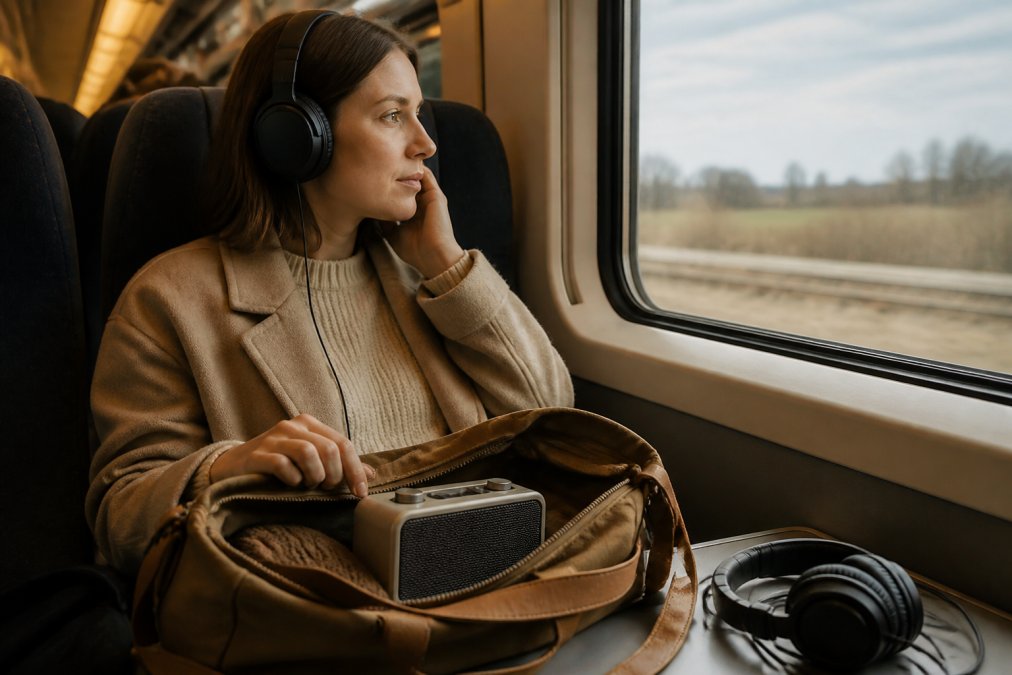
For most people starting from scratch, the weakest link is the source device. Upgrading from a smartphone to even a budget DAP, or adding a quality USB-C dongle, produces an immediately audible improvement. Upgrading headphones before addressing the source is a common and expensive mistake.
| Starting Point | First Upgrade | Second Upgrade | Third Upgrade |
|---|---|---|---|
| Smartphone + bundled earphones | USB-C DAC dongle | Quality IEMs | Mid-range DAP |
| Smartphone + decent IEMs | USB-C DAC dongle | Mid-range DAP | Balanced cable for IEMs |
| Budget DAP + basic IEMs | Quality IEMs | MicroSD storage | Balanced output cable |
| Mid-range DAP + good IEMs | Balanced cable | Portable amp | Premium DAP |
The Electro Gift Shop Mini Retro White Noise Bluetooth Speaker illustrates a different but complementary use case within a portable audio setup. Priced at £37.99, it combines Bluetooth connectivity with built-in nature sounds and RGB ambient lighting, making it well suited to creating an immersive listening environment at home, in a hotel room, or at a desk. For ambient sound and casual listening it delivers reliable performance in a compact, aesthetically considered package. Customers like Emily R. have noted it's "worth every penny" for the combination of functionality and design.
For the hi-fi portable chain itself, the staged approach prevents the most common budget error: spending everything on a premium DAP and then pairing it with IEMs that can't resolve the detail it's capable of delivering.
Long-Term Maintenance and Repairability
Long-term maintenance is the section that virtually no portable audio buying guide covers, and it's one of the most practical considerations for a device you're planning to use daily for several years.
Battery degradation is the primary long-term concern. Most DAPs use lithium-ion batteries that lose capacity over time, typically reaching 80% of original capacity after several hundred charge cycles. Some manufacturers offer battery replacement services; others use sealed designs that require third-party repair. Before purchasing, check whether the manufacturer has an authorised repair programme and what battery replacement costs.
According to iFixit's repairability scoring methodology, devices with modular, accessible internal components score significantly higher on long-term value than sealed units.
Physical durability varies significantly. Metal-bodied DAPs are generally more durable than plastic-bodied alternatives. Screen protectors are worth fitting immediately: most DAPs use glass screens that scratch easily. For portable use in bags alongside keys, a case is a practical necessity.
Practical maintenance habits:
- Charge to 80-90% rather than 100% for daily use to slow battery degradation
- Store at 40-60% charge if the device will be unused for extended periods
- Apply a screen protector before first use
- Clean 3.5mm and 4.4mm jacks periodically with a dry brush to prevent contact oxidation
- Check firmware update notes before installing: occasionally updates introduce new bugs
Common Mistakes to Avoid When Going Hi-Fi Portable
Most mistakes when building a portable hi-fi setup have the same root cause: buying based on specifications in isolation rather than thinking about the complete system.
Ignoring output impedance. This is the most technically consequential mistake. A DAP or dongle with high output impedance will cause frequency response changes in multi-driver IEMs, effectively altering the sound signature the manufacturer designed for. Always verify output impedance before pairing with multi-driver or balanced armature IEMs.
Chasing the highest sampling rate. Files at 32-bit/768kHz exist. Very few recordings were mastered at those resolutions, and many are simply upsampled from 16-bit/44.1kHz masters. Focus on the quality of the master, not the resolution of the container.
Underestimating the importance of UI. A technically superior DAP with a frustrating interface will be used less than a slightly inferior device that's a pleasure to operate. Usability is part of performance.
Buying IEMs before sorting the source. Someone spends £300 on IEMs and plugs them into a smartphone, then wonders why the improvement is modest. The IEMs are resolving the limitations of the source. Fix the source first.
Neglecting cable quality for balanced setups. If you're using balanced output, the cable carrying the signal matters. Cheap cables with poor shielding or inconsistent termination can introduce noise or channel imbalance.
Assuming all streaming is equal. Many streaming services offer a "hi-res" tier, but the actual bitrate and format delivered depends on your device, app settings, and subscription level. Verify that your DAP's streaming app is delivering the format you're paying for.
Qobuz guide to hi-res audio streaming formats and quality tiers
The portable audio space rewards patience and research. The listeners who get the most from their setups are those who understand each component's role, match them deliberately, and upgrade methodically rather than chasing the latest release.
Building a genuinely satisfying portable hi-fi setup takes more than selecting high-spec hardware. It requires understanding how components interact, what formats your files actually contain, and how software quality affects daily usability. Electro Gift Shop offers a curated range of portable audio and lifestyle gadgets designed to blend performance with thoughtful design, including the Mini Retro White Noise Bluetooth Speaker for ambient and casual listening needs. Shop our collection to find devices that combine crystal-clear audio quality with the reliable, stylish performance that makes every listening moment better.
Frequently Asked Questions
What is high fidelity portable audio?
High fidelity portable audio refers to compact listening setups that reproduce sound as accurately as possible, with minimal distortion and full frequency response. This typically means using a dedicated digital audio player or a portable DAC paired with quality headphones or IEMs, playing lossless audio formats like FLAC or DSD. The goal is bit-perfect playback on the move, rather than the compressed, convenience-focused audio most smartphones deliver by default.
Do I need a dedicated digital audio player for hi-res music?
Not always. A USB-C DAC dongle paired with a good pair of IEMs can deliver genuine hi-res audio from a smartphone at a fraction of the cost of a standalone DAP. However, dedicated digital audio players offer better DAC chips, lower total harmonic distortion, balanced output options, and purpose-built amplification for high-impedance headphones. If you own demanding headphones or listen for hours daily, a DAP is worth the investment. Casual listeners can start with a portable DAC instead.
What is the difference between MP3 and high-resolution audio files?
MP3 is a lossy format that discards audio data to reduce file size, typically encoding at 128-320 kbps. High-resolution audio files like FLAC preserve every bit of the original recording at 24-bit depth and sampling rates of 96 kHz or higher. The practical difference is most audible on quality headphones: hi-res files retain subtle details in the upper frequency range and produce a wider, more precise soundstage. For everyday background listening, MP3 is fine; for focused, critical listening, lossless formats are noticeably better.
How do I choose the best portable DAC for my headphones?
Start with your headphones' impedance rating. Low-impedance IEMs (under 32 ohms) work well with most USB-C DAC dongles. High-impedance over-ear headphones (150-300 ohms) need a DAC with a built-in headphone amplifier and adjustable gain settings. Check the DAC's output power in milliwatts at your headphone's impedance, and confirm it supports the file formats you use. A balanced output connection also reduces noise on longer listening sessions, which matters if you use sensitive IEMs.
What are the best file formats for portable hi-res audio?
FLAC is the most practical choice: it compresses losslessly, so file sizes are manageable on a device with limited internal storage or a microSD card, and nearly every DAP and portable DAC supports it. DSD (in .dsf or .dff files) offers the highest resolution available but produces very large files and requires hardware that explicitly supports DSD playback. MQA is a compressed hi-res format used mainly by streaming services. For local files, FLAC at 24-bit/96 kHz or 24-bit/192 kHz covers the full range of what any portable setup can reproduce.
Is high fidelity audio worth the investment for casual listeners?
It depends on how you listen. If music is background noise during commutes, a mid-range Bluetooth speaker or basic earbuds are perfectly adequate. But if you sit down specifically to enjoy music, the difference between compressed audio on a phone speaker and a lossless file through quality IEMs on a dedicated DAP is immediately noticeable: cleaner bass, more precise imaging, and less listening fatigue over time. Entry-level hi-fi portable setups start at under £150, making the jump from casual to serious listening more accessible than most people expect.
This article was written using GrandRanker