

Minimalist Desk Accessories for Focus: A 2026 Guide
Table of Contents
- Why Minimalist Desk Accessories Matter for Focus
- How to Choose Minimalist Desk Accessories: Selection Criteria
- Building a Minimalist Desk Setup That Works
- Desk Accessories for Productivity Without Clutter
- Desk Organization Ideas for Minimal Workspaces
- Compact Desktop Speakers for Audio Quality and Space
- Lighting, Ergonomics, and Cable Management Essentials
- Common Mistakes to Avoid When Minimizing Your Desk
- Frequently Asked Questions
Last Updated: October 10, 2026
Why Minimalist Desk Accessories Matter for Focus
A cluttered desk steals your attention. Every object competes for mental bandwidth, and your brain has to work harder to maintain focus on actual work. When you strip away the unnecessary, what remains serves a single purpose: helping you concentrate.
This is why minimalist desk accessories matter. They're not about aesthetics alone, though the clean lines and neutral colors certainly help. They're about removing friction between you and deep work. At Electro Gift Shop, we understand that the right setup can transform how you work. The accessories you choose should enhance productivity, not become distractions themselves.
Research shows that workspace organization directly impacts cognitive load. A desk designed with intention, where every item has a function, creates mental space for the work that actually matters. The challenge isn't finding accessories; it's choosing ones that earn their place.
How to Choose Minimalist Desk Accessories: Selection Criteria
Before you buy anything, ask yourself three questions. Does this accessory solve a real problem? Will I use it daily? Does it align with my workspace aesthetic and size constraints?
Minimalist desk accessories follow a clear methodology. Start by identifying your actual needs: Do you need better lighting? Is cable clutter distracting you? Are you struggling with phone notifications pulling your attention? Once you know the problem, the solution becomes obvious.
The second step is evaluating trade-offs. A desk lamp improves focus but takes up surface space. A phone stand keeps your device visible but might encourage checking it more often. A cable organizer reduces visual clutter but requires installation. Understanding these trade-offs helps you make decisions that fit your specific situation, not someone else's ideal setup.

Budget matters, but it's not the only consideration. A $15 phone stand that solves your problem beats a $50 premium option that sits unused. The best minimalist accessories are ones you actually use because they genuinely improve your workflow.
Consider your workspace size too. A tiny desk demands different choices than a large one. Compact, multifunctional accessories work better in tight spaces. Look for items that do more than one thing: a desk mat that protects your surface while defining your workspace, or a charging station that consolidates power needs into one location.
Building a Minimalist Desk Setup That Works
Start with the essentials and add nothing more. Your foundation should include a work surface, a chair, and proper lighting. Everything else is optional until it solves a specific problem you actually have.
The Metal Expansion Phone Stand for Laptop and Tesla Vehicles from Electro Gift Shop exemplifies this philosophy. It's magnetic, compact, and multifunctional, designed for professionals who need their phone visible without creating clutter. At just $13.99, it solves the problem of phone placement while keeping your desk clean. The strong magnetic grip means your device stays secure whether you're at your desk or working from your car, and the sleek metal design complements any minimalist workspace.
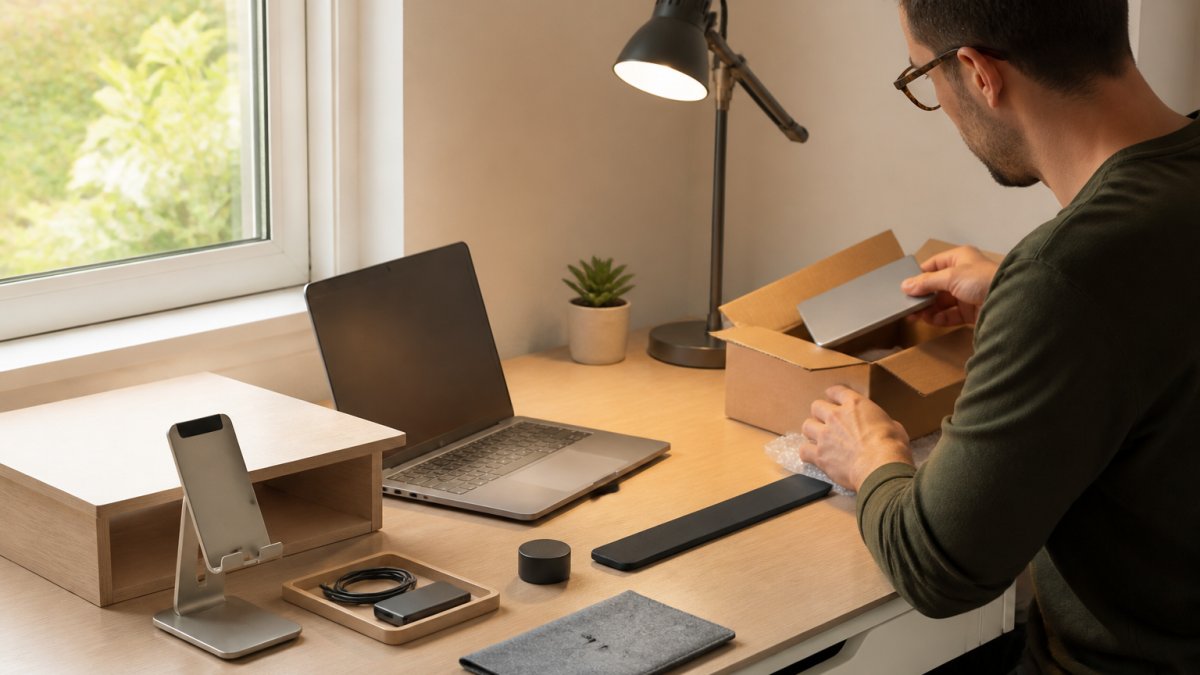
Once you have the basics, evaluate your actual pain points. Does your phone constantly distract you? A stand keeps it visible for important calls but less tempting to check casually. Do cables create visual chaos? A charging station or power strip consolidates them. Is your desk lamp creating glare? Upgrade to one with adjustable brightness.

The key is intentionality. Every accessory should earn its place by solving a real problem. If you're considering something "just in case," it probably doesn't belong.
Desk Accessories for Productivity Without Clutter
Productivity accessories should enhance focus by reducing cognitive friction, the mental effort spent managing distractions rather than doing work. The best ones address specific sources of distraction with minimal visual or physical footprint.
Desk Mats and Mouse Pads: Visual Anchoring and Precision
A desk mat does more than protect your surface. It creates a visual boundary that signals to your brain where your work zone begins and ends. This boundary effect is especially powerful for remote workers or those with shared desks; your mind registers the mat as "focus territory." The mat should be large enough to anchor your keyboard and mouse (typically 24-30 inches wide) but not so large it dominates the desk. Neutral colors, gray, black, or natural wood tones, recede visually and don't compete for attention.
A mouse pad serves a precision function: a smooth surface reduces friction, which means fewer missed clicks and less wrist strain during long sessions. This matters because repeated small frustrations (a click that doesn't register, a drag that feels sticky) accumulate as micro-distractions. For left-handed users, ensure your mouse pad is large enough to accommodate reversed mouse placement without hanging off the desk edge, a common oversight that forces awkward positioning.
Trade-off: Desk mats add visual elements. If your workspace is already visually busy, a mat might increase rather than decrease clutter. Test with a simple cloth mat before investing in a premium option.
Cable Management: Reducing Visual Noise and Friction
Tangled cables create two problems: visual clutter that taxes your attention, and functional friction when you need to unplug something and accidentally disturb three other cables. Cable management isn't aesthetic luxury; it's cognitive load reduction.
Simple solutions work best. Cable clips or velcro ties ($3-8) bundle cables together and route them behind your desk or through a cable box. The installation takes 10 minutes and eliminates the daily micro-frustration of navigating cable chaos. For standing desks or frequently reconfigured setups, velcro ties are superior to clips because they're reusable and adjustable.
A power strip or charging station consolidates multiple plugs into one location, reducing the number of cables radiating from your wall outlet. Look for models with individual switches for each outlet, this lets you cut power to unused devices without unplugging them, reducing phantom power draw and visual clutter from unused cords.
Trade-off: Cable management requires initial setup time and may require adhesive clips or small holes for routing. In rental spaces or temporary setups, this isn't practical. For laptop-only workflows with minimal peripherals, cable management may be unnecessary.
Accessibility note: If you have limited dexterity or mobility, velcro ties are easier to adjust than clips. Avoid solutions requiring tools or drilling.
Why These Matter for Focus
Research on environmental psychology shows that visual clutter increases cortisol (stress hormone) and reduces working memory capacity. A desk mat and organized cables don't eliminate distractions entirely, but they reduce the background noise your brain processes. This frees cognitive resources for actual work. The effect is subtle but cumulative, you don't notice it's working until you return to a cluttered desk and feel the difference immediately.
The EU Plug AC Outlet Smart Home Power Strip from Electro Gift Shop ($16.99) exemplifies this principle. Multiple USB ports and AC outlets consolidate charging into one location, eliminating the need for scattered adapters. The compact, round design doesn't dominate your workspace, and surge protection keeps devices safe. For remote workers managing phones, tablets, laptops, and headphones, this single accessory often eliminates 4-6 cables from your desk surface.
Desk Organization Ideas for Minimal Workspaces
Small desks demand ruthless prioritization. You can't store everything on the surface, and you shouldn't try. Instead, keep only what you use daily within arm's reach.
Vertical storage is your friend. A small shelf above your desk gives you storage without consuming surface space. Wall-mounted organizers work the same way. If wall mounting isn't possible, a compact desktop organizer, something with just 2-3 compartments, keeps pens and essentials contained without sprawl.
The principle is simple: everything has a home. When your pen holder is full, you have too many pens. When your desk drawers overflow, you're storing things you don't use. A minimalist workspace requires regular pruning. Every few months, remove anything you haven't touched in that period.
For digital workers, physical storage needs are minimal. A single drawer for cables, a small container for chargers, and that's often enough. The less you store on or around your desk, the less visual clutter you manage mentally.
Compact Desktop Speakers for Audio Quality and Space
Audio is a powerful focus tool, or a powerful distraction. The role speakers play depends entirely on how you use them, not just their size or sound quality.
How Audio Affects Focus: Different Needs, Different Solutions
Metal Expansion Phone Stand for Laptop and Tesla Vehicles - Magnetic Folding →
Not all sound supports concentration equally. Research on focus and background audio shows three distinct use cases:
-
Instrumental or ambient music (lo-fi, classical, ambient) can improve focus for analytical tasks by providing consistent auditory input that prevents mind-wandering. The key is consistency, sudden changes in volume or unexpected lyrics break concentration.
-
White noise or brown noise masks unpredictable environmental sounds (traffic, office chatter, household noise). This is especially valuable for open-office workers or those in noisy homes. The goal is masking, not entertainment.
-
Silence or near-silence works best for creative work, writing, or tasks requiring language processing. Adding any audio, even instrumental, can reduce performance on language-heavy tasks.
Compact speakers enable all three, but the type of speaker matters. A speaker optimized for music (with strong bass and treble) is wrong for white noise, where you want flat, consistent frequency response. A speaker with sharp highs can cause fatigue or trigger sensitivity in people with auditory processing differences or misophonia.
Choosing Speakers for Your Work Style
For music or ambient sound, look for speakers with adjustable EQ or a "flat" mode that doesn't artificially boost bass or treble. This prevents fatigue during long sessions. Wireless connectivity (Bluetooth) eliminates cables, supporting your minimalist goal. Battery-powered speakers offer flexibility if you move between locations.
For white noise or masking sound, prioritize speakers with volume control and consistent output across frequencies. You want the sound to fade into the background, not demand attention. Smaller speakers often work better here because they're less likely to boom or create dead zones in your room.
For video calls, prioritize clear midrange (where human speech lives) and a built-in microphone. Compact speakers with dual microphones perform better in noisy environments because they can filter background noise more effectively.
Trade-off for music/ambient sound: Adding audio can reduce focus for language-heavy work (writing, coding, reading). Test your specific task before committing to speakers. Some people find music helpful for routine work but harmful for problem-solving.
Trade-off for white noise: Constant masking sound can cause listener fatigue after 4-6 hours. It's a tool for specific situations, not an all-day solution. Rotating between silence and white noise often works better than continuous masking.
Accessibility and Sensitivity Considerations
Audio sensitivity varies widely. Some people with ADHD find background music essential for focus; others with autism find it overwhelming. People with tinnitus may find certain frequencies triggering. If you have hearing loss, compact speakers may not provide sufficient volume or clarity without distortion.
Start with a low-cost option ($20-30) to test whether audio helps your focus before investing in premium speakers. If you're sensitive to sound, look for speakers with smooth, non-fatiguing treble response, read reviews mentioning "bright" or "harsh" as warning signs.
For left-handed users or those with mobility limitations, ensure your speaker has accessible volume controls and doesn't require reaching across your workspace.
When Speakers Add Clutter Instead of Reducing It
If you work in a quiet environment and don't use background audio, speakers are pure clutter. If your focus improves with silence, skip them entirely. If you take frequent calls and your speaker's microphone picks up too much background noise, a dedicated USB microphone is a better investment than speakers.
For laptop-only workflows, many people find that headphones (which isolate audio to you alone) work better than desk speakers, which broadcast sound into your environment and can disturb others. Headphones also eliminate the need for desk space.
Lighting, Ergonomics, and Cable Management Essentials
Proper lighting is non-negotiable for focus and eye health. A desk lamp should provide enough light to eliminate shadows on your work surface without creating glare on your screen.
Look for lamps with adjustable brightness. Different tasks need different light levels. Reading requires more light than writing. Video calls benefit from front-facing light to illuminate your face. A lamp with a dimmer or multiple brightness settings adapts to your actual needs throughout the day.
Ergonomics matters more than aesthetics. Your monitor should be at eye level. Your keyboard and mouse at elbow height. Your chair supporting your lower back. These aren't optional for long work sessions; they're essential for preventing pain and maintaining focus. A monitor riser or laptop stand often solves multiple problems at once.
Cable management is the unglamorous hero of a clean desk. Tangled cables create visual noise and make cleaning difficult. A simple solution: use cable clips or ties to bundle cables together, then route them behind your desk or through a cable management box. This takes 10 minutes and transforms how your workspace feels.
Common Mistakes to Avoid When Minimizing Your Desk
The biggest mistake is buying accessories before identifying problems. Enthusiasts often fill their desks with "productivity tools" they never actually use. Before you buy, spend a week noting what frustrates you. What distracts you? What causes physical discomfort? Buy only accessories that address those specific issues.
Another common error is confusing minimalism with emptiness. A truly minimalist desk isn't bare; it's intentional. Everything present serves a function. If your workspace feels cold or unwelcoming, you might be under-accessorized, not over-accessorized.
Don't sacrifice ergonomics for aesthetics. A beautiful desk setup that causes back pain or eye strain defeats the purpose. Your comfort directly impacts your focus. Invest in proper lighting, monitor height, and seating before worrying about visual harmony.
Avoid buying premium versions of accessories you rarely use. A $50 designer desk pad is wasteful if you already have a functional one. Spend more on items you use constantly, your chair, your lamp, your monitor stand. Spend less on things that are purely functional.
Finally, don't assume minimalism means buying nothing. Strategic purchases that solve real problems improve your workspace dramatically. The goal isn't zero accessories; it's zero clutter. These are different things.
A focused workspace doesn't happen by accident. It requires intentional choices about what belongs on your desk and what doesn't. At Electro Gift Shop, we've curated accessories designed specifically for professionals who value both aesthetics and function. The Metal Expansion Phone Stand keeps your device accessible without creating distraction, while the EU Plug AC Outlet Smart Power Strip consolidates your charging needs into one compact location. Both accessories solve real problems while maintaining the clean lines that support deep work. Start with your actual needs, choose accessories that address them, and build from there. Your focus, and your productivity, will thank you.
Frequently Asked Questions
What desk accessories help you focus most effectively?
The most effective minimalist desk accessories reduce distractions and support your physical comfort. A quality desk lamp reduces eye strain, a phone stand keeps devices out of direct sight, and cable management solutions eliminate visual clutter. Focus improves when your workspace contains only what serves your work, each item should have a clear purpose. Avoid decorative items or gadgets you rarely use, as they compete for attention.
How do I create a minimalist desk setup that actually boosts productivity?
Start by listing only the tools you use daily: computer, phone, writing materials. Add one lighting solution, one cable management system, and one organizational element like a small tray or pen holder. Keep surfaces clear except during active work. Choose accessories with clean lines and neutral colors that blend into your workspace rather than draw attention. Test each addition for two weeks, if it doesn't measurably improve your work, remove it.
Are minimalist desk setups actually better for focus than cluttered ones?
Research on workspace design shows that visual clutter increases cognitive load, making it harder to concentrate. A minimalist desk reduces the number of stimuli competing for your attention, allowing your brain to focus on the task at hand. This doesn't mean empty, it means intentional. Every item should support your work or wellbeing. The Metal Expansion Phone Stand from Electro Gift Shop exemplifies this: it keeps your phone accessible but out of your direct line of sight, reducing distraction while maintaining functionality.
What's the best way to organize cables and charging devices without creating clutter?
Use a single power management solution rather than multiple chargers scattered across your desk. The EU Plug AC Outlet Smart Power Strip consolidates multiple outlets and USB ports into one compact unit, keeping cables grouped and out of view. Route cables behind or under your desk using clips or sleeves. Charge devices during breaks rather than keeping them plugged in all day. This approach keeps your workspace clean while ensuring everything you need stays powered and ready.