

Stylish Desk Tech for Modern Offices: 2026 Guide
Table of Contents
- What Counts as Stylish Desk Tech in 2026
- Quick Comparison: Three Picks That Earn Their Desk Space
- Minimalist Desk Setup Ideas That Actually Work
- Best Desk Accessories for Productivity: What Earns Its Place
- Cable Management Solutions for Desks: Fixing the Clutter Problem
- Powering a Modern Desk: Smart Charging and Smart Home Integration
- Ambient Audio and Lighting: The Finishing Layer of Stylish Desk Tech
- How to Choose Stylish Desk Tech That Lasts
- Frequently Asked Questions
Last Updated: September 25, 2026
What Counts as Stylish Desk Tech in 2026
Stylish desk tech is hardware that improves how you work while looking deliberate rather than improvised. The category covers charging gear, audio, lighting, cable control, and display mounts, chosen for how they perform daily, not just how they photograph. At Electro Gift Shop, our products are designed to hold up over years.
Three qualities separate good desk tech from clutter. First, it solves a recurring problem: a dead phone, a tangled cable run, a glare-heavy afternoon. Second, it fits your space instead of demanding a new one. Third, it lasts. The most common mistake is buying for the unboxing moment and living with the compromise afterward.
Below, we break down the categories worth your money, the picks that earn their footprint, and how to judge durability before you buy.
Quick Comparison: Three Picks That Earn Their Desk Space
Three products cover the core jobs on a modern desk: holding your phone, powering your devices, and setting the room's atmosphere. Each one below solves a different daily problem, and none of them needs an app to work.
| Product | Price | Best For | Standout Feature |
|---|---|---|---|
| Metal Expansion Phone Stand | $13.99 | Multitaskers, Tesla owners | Magnetic grip, 15W fast charging |
| EU Plug Smart Power Strip | $16.99 | Cable-heavy desks | Multiple AC outlets plus USB ports |
| Mini Retro White Noise Speaker | $37.99 | Focus and wind-down | 4 nature sounds, RGB ambient light |
The phone stand is the cheapest upgrade with the highest daily return. The power strip fixes the outlet shortage most desks develop within a month. The speaker is the one you buy for the room's mood as much as for the sound.

Minimalist Desk Setup Ideas That Actually Work
Start with the surface, not the accessories. A minimalist desk setup works when everything on it has a job and a home. Clear the laptop riser zone, keep one charging point, and let the rest of the surface stay empty. That single rule removes most visual noise before you buy anything.
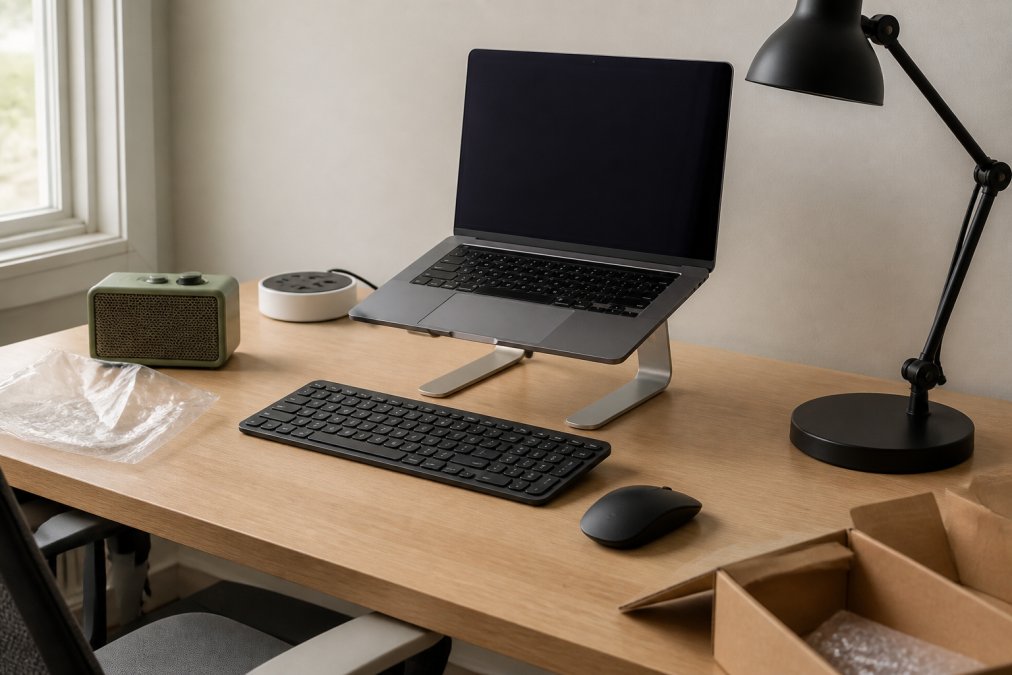
For small-space and minimalist setups, vertical is your friend. A phone stand lifts your device to eye level and frees the desk surface. A compact round power strip tucks behind the monitor instead of sprawling across the front edge. Fewer, better pieces beat a full desk of accessories.
Try this sequence:
- Remove everything from the desk surface
- Return only what you used in the last week
- Give each remaining item a fixed position
- Route every cable behind the desk line
- Add one new piece only when a real gap appears
Best Desk Accessories for Productivity: What Earns Its Place
The best desk accessories for productivity are the ones that remove a small friction you hit many times a day. That sounds abstract until you name the categories that actually do it. On a modern desk, four accessory classes carry most of the load: ergonomic input devices, display mounts, USB-C hubs, and anti-fatigue accessories. Each one earns its footprint by saving seconds or strain that compound across a workweek.
Ergonomic input devices. A split or tented keyboard and a vertical mouse keep your wrists in a neutral position instead of a pronated one. The mechanism is simple: when your forearms rest closer to a handshake angle, the median nerve at the wrist is under less compression. Most practitioners find that a keyboard with a negative tilt (back edge lower than the front) and a mouse that keeps the palm vertical reduce the end-of-day ache that a flat setup produces. Look for mechanical switches rated for tens of millions of keystrokes and a mouse with adjustable DPI, because both are repairable and long-lived rather than disposable.
Monitor arms and display mounts. A single gas-spring monitor arm replaces the plastic stand your monitor shipped with and frees the entire surface beneath the screen. The concrete win is height: the top of your display should sit roughly at eyebrow level so your neck stays neutral. A clamp-on arm also lets you push the screen back to arm's length, which reduces the eye strain that comes from sitting too close. Check the arm's weight rating against your monitor's weight before buying; an under-rated spring will sag.
USB-C hubs and docking stations. One hub with HDMI, USB-A, USB-C Power Delivery, and an SD card reader turns a laptop into a desk. The trade-off to watch is bandwidth: a hub that splits its USB-C port across video and data can throttle an external SSD, so match the hub to your actual peripherals rather than buying the port count you'll never use.
Anti-fatigue accessories. A footrest, a wrist rest, and a standing mat address the parts of desk work that no gadget on the surface fixes. An anti-fatigue mat under a standing desk is the highest-return item in this group because it makes the standing position sustainable for more than twenty minutes.
What most guides miss is that accessories fail on placement, not features. A stand positioned outside your natural sightline gets ignored. A power strip mounted where you can't reach it becomes decoration. Test any new piece for a week in its intended spot before you commit to the layout.

The Metal Expansion Phone Stand is the clearest example of a small accessory doing real work. Its magnetic base holds your phone securely on a laptop or in a Tesla, so notifications and calls stay in view while you keep both hands free.
Cable Management Solutions for Desks: Fixing the Clutter Problem
Cable management solutions for desks come down to three moves: shorten, bundle, and hide. Shorten by using the right cable length rather than coiling excess. Bundle with clips or sleeves so runs move as one unit. Hide the remainder behind a fixed edge or tray. Done well, you stop noticing cables at all.
The EU Plug AC Outlet Smart Home Power Strip handles the hardest part of this job. Its round, compact design fits behind a monitor or in a corner where a long strip won't, and it consolidates several AC outlets and USB charging ports into one point. That means fewer wall warts and fewer cables crossing the desk.
Metal Expansion Phone Stand for Laptop →
Label both ends of every cable before you bundle them. When you swap a monitor or add a device months later, you'll thank yourself.
Powering a Modern Desk: Smart Charging and Smart Home Integration
Smart charging means one place powers everything, and smart home integration means that place responds to you. A power strip that connects to your smart home system lets you control and automate connected devices, which cuts standby draw and removes the nightly ritual of unplugging things.
The EU Plug Smart Power Strip is built for exactly this. It combines multiple AC outlets with fast USB charging ports, adds overcurrent and surge protection, and stays compact enough for a desk corner. For a work-from-home setup that runs a laptop, monitor, phone, and lamp, that's the whole power layer solved in one device.
Pair it with the Metal Expansion Phone Stand and the 15W fast charger keeps your phone topped up while it sits at eye level. Two pieces, one charging routine.
Ambient Audio and Lighting: The Finishing Layer of Stylish Desk Tech
Audio and light are what turn a functional desk into a room you want to sit in, and they are the two categories where stylish desk tech most often gets bought for looks and then abandoned for performance. Getting them right means understanding what each layer is actually for.
Task lighting. A desk lamp's job is to put light on the work surface, not in your eyes. The mechanism that matters is color temperature: a lamp in the 4000K to 5000K range reads as neutral daylight and supports alertness during focused work, while a 2700K to 3000K warm lamp suits evening wind-down. Look for a lamp with a physical dimmer and an adjustable arm so you can angle the beam across the keyboard rather than straight down onto a glossy screen. A monitor light bar is the space-saving alternative: it clips to the top of the display and throws light forward onto the desk while keeping it off the screen, which removes the glare that a conventional lamp creates on a monitor.
Bias lighting. A strip or bar mounted behind the monitor washes the wall behind your screen with soft light. The effect is a reduction in the contrast between a bright display and a dark room, which most people find easier on the eyes during long sessions. Warm white is the safer choice for a home office; strong RGB reads as a gaming setup rather than a professional one.
Ambient audio. For focus, the goal is masking, not music. Steady, non-lyrical sound at low volume covers the intermittent background noise, conversations, keyboard clatter, traffic, that breaks concentration more than constant noise does. A compact speaker with built-in nature sounds does this without a subscription or an app, which matters for the long-term durability point below.
The Mini Retro White Noise Bluetooth Speaker covers both jobs in one compact body. Its four built-in nature sounds, ocean waves, crackling bonfires, chirping insects and birds, and flowing streams, work as a focus layer during the day and a wind-down aid at night. Bluetooth 5.0, AUX input, and TF card support give you playback options beyond your phone, and the 1500mAh battery runs 4 to 6 hours per charge with a 2 to 3 hour recharge over USB. The RGB ambient breathing light rotates with your music, and the screen-off function stops glare after dark. For a desk that needs atmosphere without a second lamp, that's a lot of ground covered by one speaker.

How to Choose Stylish Desk Tech That Lasts
Durability comes down to materials, repairability, and whether the product still works when its app doesn't. Metal housings outlast plastic ones at stress points. Products with physical controls keep working when software support ends. And anything that needs no app at all is the safest long-term buy.
Use this checklist before you commit:
- Does it work without a companion app?
- Are the controls physical knobs or buttons?
- Is the housing metal at the joints and mounting points?
- Does the listing state battery capacity and charge time?
- Can you replace the cable rather than the whole unit?
On the sustainability side, buying fewer pieces and keeping them longer beats any recycled-plastic claim on a box. The Metal Expansion Phone Stand is built from durable metal, which is exactly the kind of construction that survives a desk move or two.
The hard part isn't finding stylish desk tech. It's resisting the urge to buy ten pieces when three well-chosen ones would do more. Electro Gift Shop builds its range around that idea: nostalgic looks, modern function, and gear that works whether you're at the desk, on the road, or between the two. The Mini Retro White Noise Bluetooth Speaker, the EU Plug Smart Power Strip, and the Metal Expansion Phone Stand each solve one real problem and look right doing it. Get started with Electro Gift Shop and build a desk setup that sounds as good as it looks.
Frequently Asked Questions
What are the best desk gadgets for a modern office?
Start with the items you touch daily. A magnetic phone stand keeps your screen visible without cluttering your keyboard space. A compact power strip with USB ports replaces three separate chargers. A small speaker handles background audio without headphones. The Metal Expansion Phone Stand, the EU Plug Smart Home Power Strip, and the Mini Retro White Noise Bluetooth Speaker cover those three jobs for under $70 combined, which is a reasonable entry point before you commit to bigger purchases.
How can I make my desk look more professional and stylish?
Pick a finish and repeat it. Metal stands, a matte speaker, and a single power strip in one colour family read as intentional; mixed plastic gadgets in five different shades read as clutter. Route every cable behind the desk edge or into a single strip, and leave one clear zone for your hands. The Metal Expansion Phone Stand is a good example of this approach: durable metal construction, a magnetic grip, and a shape that disappears into the surface rather than fighting it.
How do I organize my desk with modern tech accessories?
Work outward from the wall. Put the power strip at the back edge so cables never cross your working area. Mount or stand your phone at eye level to free the surface in front of you. Keep audio gear to one corner. The EU Plug Power Strip has a round, compact footprint that fits behind a monitor, and its USB ports mean you can retire the separate adapters that cause most of the mess. Ten minutes of setup saves daily untangling.
Are desk gadgets worth the investment for productivity?
It depends on whether they remove a repeated interruption. A phone stand that keeps notifications visible cuts the reach-and-check cycle. A power strip with fast USB charging ends the hunt for a free socket. A speaker with white noise mode helps mask open-office noise during focused work. If a gadget does not change a habit you repeat every day, it is decoration. Buy the three or four that do, and skip the rest.
Will a small retro speaker actually sound good enough for music?
The Mini Retro White Noise Bluetooth Speaker uses Bluetooth 5.0 and a 5W output with 360-degree surround sound, and it runs 4-6 hours per charge from a 1500mAh battery. That is desk-scale audio, not room-filling hi-fi. It also plays four built-in nature sounds (ocean waves, bonfires, insects and birds, flowing streams) through a dedicated white noise mode, which is the feature most buyers end up using daily. If you want a single small speaker for calls, background music, and focus noise, it covers all three.