

How to Improve Portable Speaker Sound: 9 Proven Steps
Table of Contents
- How to Improve Portable Speaker Sound: The Fundamentals
- Portable Speaker Placement for Better Sound
- Optimize Bluetooth Speaker Equalizer Settings
- How to Make a Portable Speaker Louder Without Distortion
- Adjust Your Audio Source and Connection Quality
- Pair Multiple Speakers for Enhanced Audio Performance
- Portable Speaker Maintenance Tips for Long-Lasting Sound
- Troubleshoot Common Sound Problems
- Frequently Asked Questions
Last Updated: October 7, 2026
How to Improve Portable Speaker Sound: The Fundamentals
To improve portable speaker sound doesn't require expensive upgrades or technical expertise. At Electro Gift Shop, we know that small adjustments to placement, settings, and connection quality can transform your listening experience. Whether you're using your speaker at home, outdoors, or while traveling, understanding the fundamentals of portable speaker sound will help you get crystal-clear audio that matches your lifestyle.
The key to improving portable speaker sound lies in three areas: where you place the speaker, how you configure it, and what audio source you're using. Most people skip these steps and assume their speaker's performance is fixed. It's not.
Let's start with what actually matters. A portable speaker's sound quality depends partly on its hardware, but the environment and settings control far more than people realize. This guide covers nine proven steps to unlock better audio from whatever speaker you own right now.
Portable Speaker Placement for Better Sound
Placement is the highest-leverage change you can make because it costs nothing and alters how every frequency reaches your ears. The mechanism is simple: low frequencies radiate in all directions and build up near boundaries (walls, floors, corners), while high frequencies are directional and get absorbed or blocked by soft materials. Move the speaker and you change both the bass boost and the treble clarity at the same time.
The boundary effect, in practical terms. A speaker placed directly against a wall gets roughly +3 dB of bass boost from the wall behind it; in a corner, that can rise to +6 dB or more because two or three boundaries reinforce the same low frequencies. That sounds impressive until it turns muddy. The fix is not to avoid walls entirely but to tune the distance. Start about 12-18 inches (30-45 cm) from the rear wall. If the bass sounds boomy, pull the speaker farther out; if it sounds thin, move it closer. Corners are best avoided unless you deliberately want maximum bass and are willing to cut bass in the equalizer.
Surface matters as much as distance. A hollow wooden table, a glass shelf, and a concrete counter all color the sound differently. Hard, dense surfaces reflect midrange and treble, which can add perceived clarity but also cause harsh reflections. Soft surfaces (beds, sofas, carpets, curtains) absorb high frequencies and make the speaker sound dull. A common pattern is to place the speaker on a solid, non-resonant surface such as a wooden desk or a stone countertop, then add small rubber feet or a mousepad underneath to stop the surface itself from buzzing. If you hear a rattle on bass-heavy tracks, the surface, not the driver, is usually the culprit.
Height and angle. Most portable speakers have drivers aimed horizontally or slightly upward. Putting the speaker at ear level (roughly 36-48 inches / 90-120 cm when seated) keeps the direct sound path clear. If the speaker sits on the floor, the first reflection off the floor arrives very early and smears the midrange. Tilting the speaker up by 10-15 degrees using a wedge or a folded cloth can noticeably improve vocal intelligibility.
Distance and the sweet spot. Portable speakers are not point sources; they have a dispersion pattern that narrows as frequency rises. At 4-8 feet (1.2-2.4 m), you are usually in the near field where direct sound dominates and room reflections are still manageable. Beyond about 10 feet, reflected sound overtakes direct sound in a typical room, and clarity drops. Outdoors, where there are no walls, the inverse-square law dominates: doubling the distance cuts perceived loudness by roughly 6 dB (Accurate vocal compensation for sound intensity loss with increasing distance in natural...). That is why an outdoor speaker that sounds loud on a patio can sound weak at the far end of a yard.
Outdoor placement specifics. Open air removes the bass reinforcement you get indoors, so outdoor placement is about maximizing direct radiation and minimizing absorption. Keep the speaker off grass and sand, which absorb high frequencies; a picnic table, cooler lid, or flat rock works better. Aim the speaker toward the listening area rather than straight up or down. If you are near a wall or fence, use it deliberately: placing the speaker 1-2 feet in front of a hard wall can recover some of the lost bass without the corner boom.
A repeatable placement experiment. Pick one bass-heavy track and one vocal-heavy track. Mark three positions with tape: (A) on the floor against a wall, (B) on a table 12 inches from the wall at ear level, (C) on the same table pulled 3 feet into the room. Play 30 seconds of each track from each position and note bass weight, vocal clarity, and any rattle. Most listeners find position B is the best compromise, but the exercise teaches you how your specific room and speaker interact, something no generic guide can do for you.
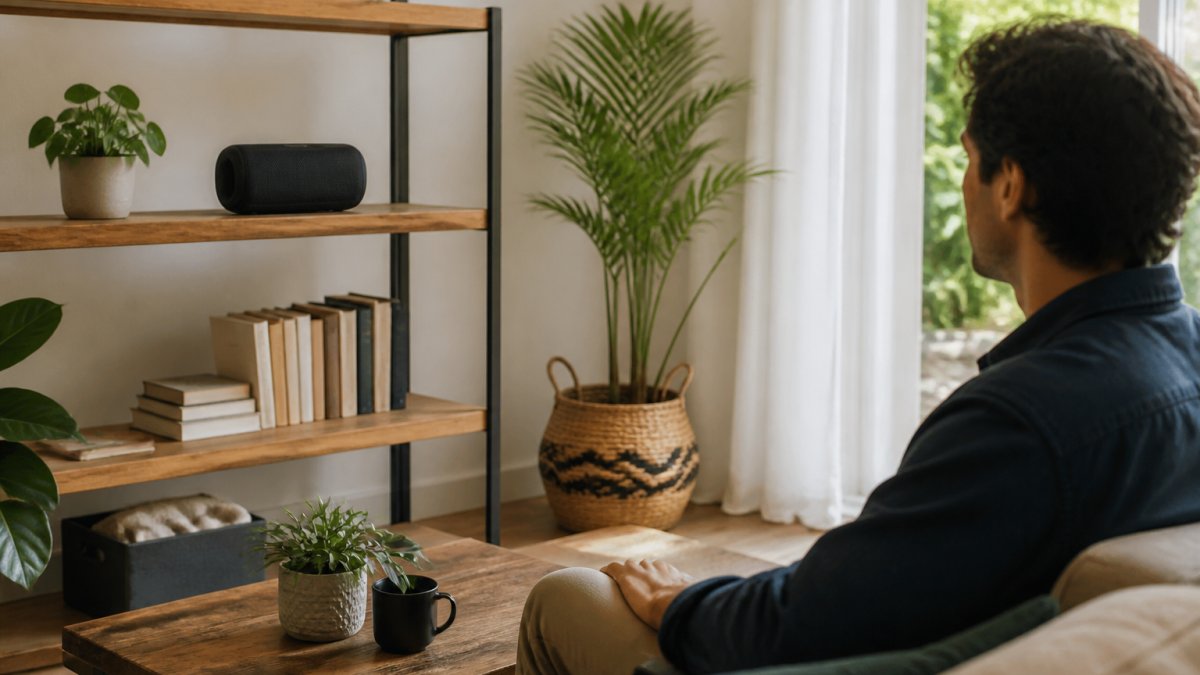
Optimize Bluetooth Speaker Equalizer Settings
Most portable speakers have built-in equalizer controls or companion apps that let you adjust bass, treble, and midrange frequencies. These settings dramatically affect how your music sounds without changing the speaker itself.
Start with the equalizer in its neutral or flat position. Then adjust based on your preferences. If music sounds thin or quiet, boost the bass slightly. If it sounds muddy or boomy, reduce the bass. For clearer vocals and instruments, boost the midrange. For more detailed high notes, increase the treble.
Apps like Spotify, Apple Music, and YouTube Music all have built-in equalizers. Access them through settings and try presets like "Bass Boost," "Clear," or "Treble Boost." Experiment with each to hear the difference immediately.
Many Bluetooth speakers also have physical buttons for sound adjustment. Look for a "Bass Boost" button or a dial marked with +/- symbols. Turning these up boosts low frequencies, making your speaker sound louder and fuller. Turning them down reduces boom and improves clarity.
The key is matching your equalizer settings to your audio source and environment. Heavy bass sounds good at a party but can distort in a small room. Treble boost works for podcasts and vocals but can sound harsh with metal or electronic music.
How to Make a Portable Speaker Louder Without Distortion
You want more volume, but cranking it to maximum often produces crackling or distorted sound. The fix involves multiple steps working together.
First, increase volume gradually. Start at 50% on your phone or device, then raise your speaker's volume control to 75-80%. This approach spreads the load across both devices and prevents one from clipping. If you need more volume, boost the phone next, then the speaker.
Second, use a volume-boosting app or equalizer setting. Many music apps have a "Loudness Normalization" or "Volume Boost" option. Enable it to raise overall volume without distortion. Some speakers also have a dedicated "Outdoor Boost" or "Loud" mode that amplifies sound for outdoor environments.
Third, place your speaker correctly. Sound that travels freely reaches your ears louder than sound bouncing off walls. A speaker on an open patio sounds louder than the same speaker in a corner.
Fourth, check your audio source quality. Compressed files (low-bitrate MP3s) sound quieter and more distorted than high-quality audio (320 kbps MP3s or lossless files). Streaming services like Spotify Premium offer higher quality options in settings.
Distance and angle also affect perceived loudness. Sound projects forward from most speakers, so position yourself in front of it rather than to the side. Moving closer increases volume without changing the speaker's output.
Adjust Your Audio Source and Connection Quality
The quality of your audio source directly affects what your speaker can reproduce. A poor Bluetooth connection or low-quality audio file will sound bad on any speaker.
Check your Bluetooth connection first. Keep your phone or device within 10-15 feet of the speaker. Remove obstacles like walls, metal objects, and other wireless devices (routers, microwaves) that can interfere. If connection drops or sound stutters, move closer or turn off nearby Wi-Fi.
Re-pair your devices if you notice poor sound. Forget the speaker from your phone's Bluetooth settings, then pair it again. This refreshes the connection and often improves audio quality.
Next, upgrade your audio files. Streaming services like Spotify, Apple Music, and Tidal offer high-quality audio tiers. Enable "High Quality" or "Lossless" in your app settings. The difference is noticeable on any speaker, especially portable ones.
For local files, use MP3s encoded at 320 kbps or higher, or switch to lossless formats like FLAC or WAV if your speaker supports them. Avoid compressed or low-bitrate files, which sound thin and quiet.
Mini Retro White Noise Bluetooth Speaker →
Also check your phone or device volume. Many people forget that their device volume is lower than the speaker volume, which limits output. Set your device volume to 75-100%, then control overall volume using the speaker's controls.
Wired connections sound better than Bluetooth when possible. If your speaker has an AUX input or USB connection, use a cable instead of wireless. You'll notice clearer sound and zero connection dropouts.
Pair Multiple Speakers for Enhanced Audio Performance
Pairing two or more speakers together creates fuller, louder sound without distortion. Most modern Bluetooth speakers support stereo pairing or multi-speaker modes.
Check your speaker's manual or app to see if it supports pairing. If it does, place two identical speakers a few feet apart, one on your left, one on your right. Use your phone's Bluetooth settings to pair both speakers simultaneously. Your music will split across both devices, creating a stereo effect and doubling the perceived volume.
Some speakers support "party mode," which chains multiple speakers together. This works with different speaker models and is simpler than stereo pairing. Enable party mode in your speaker's app, then add additional speakers to the group.
The benefit is obvious: two speakers deliver more volume and fuller sound than one. Bass frequencies benefit most from pairing because they travel longer distances and blend together. Treble and midrange frequencies also improve because each speaker handles less of the load.
Place paired speakers at least 4-6 feet apart for the best effect. If they're too close, they'll interfere with each other and create dead zones where sound cancels out.
Portable Speaker Maintenance Tips for Long-Lasting Sound
Most guides treat maintenance as cleaning and charging. The bigger opportunity is treating maintenance as sound-quality troubleshooting: a blocked grille, a degraded battery, or outdated firmware can each make a speaker sound quieter, muddier, or more distorted than it did when new. This section covers the fixes competitors skip.
Grille and port blockage. The single most common cause of gradual muffling is a grille packed with dust, lint, or pocket debris. The grille protects the driver, but when it clogs, high frequencies are absorbed first, vocals lose air and cymbals lose sparkle. Use a soft brush (a clean, dry toothbrush works) to loosen dust, then a can of compressed air held at a shallow angle to blow it out. Do not poke the driver cone with anything rigid. If the speaker has a passive radiator (a flat, unpowered disc, often on the back or side), check that it is not pressed against a surface; a blocked passive radiator kills bass output.
Driver and seal inspection. Over time, the rubber surround around a driver can dry out or tear, and the adhesive sealing the driver to the enclosure can fail. Symptoms include a buzzing or flapping sound on bass notes, or a rattle that persists even at low volume. Shine a light through the grille and look for cracks, tears, or visible dust caps pushed inward. If you find damage, the speaker usually needs service rather than a DIY fix, but identifying it prevents you from wasting time on equalizer tweaks that cannot help.
Battery health and its effect on sound. A worn battery does more than shorten playtime. Many portable speakers limit maximum output when battery voltage sags, so a degraded cell can make the speaker sound quieter and more compressed at high volume. Charge fully before critical listening, avoid letting the battery sit at 0% for long periods, and if you store the speaker for months, leave it at roughly 50% charge in a cool, dry place. If playtime has dropped noticeably and the speaker now distorts earlier than it used to, the battery is a likely suspect. Replacement is often possible; check your manual or the manufacturer's support page for whether the cell is user-replaceable.
Firmware and app updates. Bluetooth speakers with companion apps sometimes receive firmware updates that change EQ behavior, fix connection bugs, or add codec support. A speaker that sounds worse after a phone OS update is sometimes fixed by a speaker firmware update. Open the manufacturer's app, check for updates, and install them over a stable Wi-Fi connection with the speaker charged. If the speaker has no app, check the manufacturer's support page periodically, some models allow updates via USB.
Charging and port care. A dirty or corroded charging port can cause intermittent charging, which in turn causes the speaker to run at reduced power. Clean the port gently with a dry, soft brush or a wooden toothpick, never metal, which can short contacts. Keep the rubber flap or cover closed when not charging, especially outdoors. If the speaker uses USB-C, try a different cable and charger to rule out the cable before assuming the port is damaged.
A maintenance sound check. Once a month, play a familiar track at a fixed volume and listen for three things: (1) does the bass still sound as full as it did last month, (2) are vocals still clear, and (3) is there any new rattle or buzz? A quick log of these three impressions, even a note on your phone, turns maintenance from guesswork into a trend you can act on. If sound degrades suddenly rather than gradually, suspect a connection or source problem first; if it degrades slowly, suspect grille, battery, or driver wear.
Troubleshoot Common Sound Problems
Most sound issues have simple fixes. Here's how to diagnose and solve them.
Distortion at high volume: Lower the bass boost in your equalizer. Check that your audio source is high quality. Reduce volume to 80% and see if distortion stops. If it persists, your speaker may have a hardware issue.
Quiet or muffled sound: Check Bluetooth connection strength. Move closer to your speaker. Increase volume on both your device and speaker. Clean the speaker vents and grille. Try a different song or app to rule out audio source problems.
No sound from one channel: Verify stereo pairing is enabled. Test with a different audio source. Restart both your device and speaker. Check for physical damage to the speaker.
Crackling or popping sounds: This usually means distortion. Lower the volume or reduce bass boost. Check your Bluetooth connection for interference. Switch to a higher-quality audio file.
Bass won't boost: Confirm your equalizer app is enabled. Check that your speaker supports bass adjustment. Some speakers have a physical bass button that may need to be toggled on.
Connection drops frequently: Move closer to your speaker. Remove obstacles between your device and speaker. Turn off other Bluetooth devices nearby. Forget and re-pair the speaker to refresh the connection.
| Problem | Likely Cause | Solution |
|---|---|---|
| Distortion | High volume + low-quality audio | Lower volume, boost treble, use high-quality files |
| Muffled sound | Poor placement or connection | Reposition speaker, move closer, clean vents |
| Quiet output | Low device volume or weak connection | Increase device volume, check Bluetooth signal |
| Crackling | Interference or distortion | Reduce bass, move away from other devices |
| No sound | Muted device or pairing issue | Check device volume, re-pair speaker |
Getting better sound from your portable speaker is achievable today. Start with placement, adjust your equalizer settings, and optimize your audio source quality. These three steps alone improve most speakers dramatically. For music lovers seeking crystal-clear audio that travels with them, Electro Gift Shop's curated selection of portable speakers, like our Mini Retro White Noise Bluetooth Speaker, combines nostalgic design with modern sound technology. With its 360-degree surround sound, multiple playback options, and reliable performance, you can enjoy enhanced audio quality wherever you go. Shop Now and discover portable audio that sounds as good as it looks.

Frequently Asked Questions
How can I improve portable speaker sound without buying a new speaker?
Start with placement: position your speaker away from walls and corners to reduce bass buildup. Adjust equalizer settings to boost treble and mid-range frequencies based on your music genre. Check your Bluetooth connection quality by staying within 10 meters of your device and removing obstacles. Clean the speaker grilles regularly to ensure sound travels freely. These steps work across all portable speaker models and cost nothing.
Where should I place a portable speaker for the best sound?
Place your speaker on an elevated surface like a shelf or table, away from corners and walls that can muddy the bass response. For outdoor listening, position it at ear level and away from reflective surfaces. Avoid enclosed spaces like cabinets or closets. In rooms, central placement works best for balanced audio. These portable speaker placement techniques apply to any model and dramatically improve clarity and detail.
Can equalizer settings really improve portable speaker sound quality?
Yes. Bluetooth speaker equalizer settings let you boost specific frequencies to match your music genre and environment. For rock and pop, increase bass and treble slightly. For classical music, emphasize mid-range frequencies. Most phones and audio apps include built-in equalizers. Start with preset options before adjusting manually. Proper equalizer tuning can reduce distortion and reveal more detail in your audio.
How do I reduce distortion when turning up portable speaker volume?
Distortion occurs when the speaker's amplifier reaches its limit. Increase volume gradually in 5-10% increments rather than jumping to maximum. Use equalizer settings to boost specific frequencies instead of cranking overall volume. Ensure your audio source file quality is high (320kbps MP3 or higher). Position the speaker away from walls. If distortion persists, your speaker may have reached its power limit, backing off slightly will restore clarity.